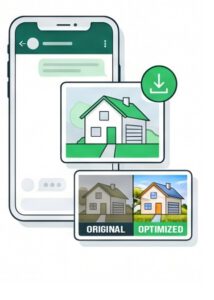
Simply use your smartphone to capture your properties from their best angles. Clean, unobstructed views ensure optimal AI-based enhancement. No special camera is required.
2. OPEN CHAT
Start WhatsApp chat with LumEstate
Scan or tap the code to chat with LumEstate. Save the number to stay connected. No registration, no passwords—get started instantly.
3. SEND
Send your photos into the chat
Send your property photos directly into the chat. Standard enhancements are applied automatically. For custom requests, simply add text instructions in any language. Please note that 2 credits will be charged when custom instructions are provided.
4. DOWNLOAD
Receive and save optimized images
Get your enhanced images back in the chat instantly to check the results. Alongside your photos, you will receive a ZIP file containing all your high-resolution files.
How To Buy Credits
1. SELECT PACKAGE
Choose your credit pack
Tap a pricing button on our website for the number of credits you wish to add. Alternatively: Just send your photos inside the chat. If you run out of credits, the system will automatically present the secure payment links to you instantly.
2. SEND MESSAGE
Enter our chat
A pre-filled text is automatically placed in your chat field. No typing needed—simply hit send to proceed.
3. GET SECURE LINK
Receive your unique link
Once sent, our AI instantly replies with your personal payment link. Just tap the secure button to open our protected checkout page.
4. COMPLETE PURCHASE
Finish your purchase
Select your preferred payment method and confirm the transaction. Your credits are added to your account instantly, followed by a quick confirmation message in our chat.
How Credits Are Charged
STANDARD
1 CREDIT / PHOTO
NO INSTRUCTIONS REQUIRED
Automated Exposure Correction: Perfect lighting and brightness adjustments.
Professional Color Correction: Vivid colors and accurate white balance.
Smart Clutter Removal: Automatically cleans up minor distractions.
Interior & Exterior Optimization: Perfectly tailored enhancements for both indoor and outdoor real estate shots.
Sky Enhancement: Beautiful blue sky replacement for all exterior shots.